
Hubstaff is a time tracker with plenty of features and easy administration, made even more useful by project management features. It’s focus on productivity makes it ideal for remote workers and distributed teams.
Referrals discounts work with both Monthly and Annual subscription selections.
COVID-19 has changed the way work is done, and Hubstaff has seen a corresponding increase in trials for its employee tracking features. Businesses are interested in proof of work features such as monitoring employee time and activities, as well as capturing screenshots on a regular basis.
Real user experience

👨🏼💻 I am using Hubstaff for 4 years already. I have a few websites and I use it for tracking my employees as they are all working remotely.
At first, I was hesitant to use tracking software. We used google sheets and it was all based on trust.
But after a while, some started to produce less work so I decided to give it a try to Hubstaff as it was recommended to me by my friend that has his whole company on Hubstaff.
✅ I have seen immediate effectivity improvement.
My copywriters were now writing blog posts half the time. Before they wrote in the google sheet 6 hours to finish the article.
Now I save even money with Hubstaff as they track real hours worked.
Pros and Cons of Hubstaff
| 👍 PROS | 👍 CONS |
|---|---|
| $7.00 per user per month | Lack of advanced tracking |
| Take screenshots and monitor keystrokes to improve productivity | Simple reporting |
| It enables you to keep track of various projects and workers’ time spent on each project. | In order to use the Stopwatch feature, you will need to have a second app open on your desktop. |
| The online timesheets provide a clear dashboard view. | |
THE BOTTOM LINE
In addition to time tracking and employee monitoring, Hubstaff also offers project management and task tracking features for both managers and teams. It is a great tool for company owners, freelancers, …
Hubstaff starts at just $7.00 per user per month. It’s one of the most affordable time tracking solutions on the market today.
Hubstaff is packed with features that make it an ideal choice for small to midsize businesses. You’ll find everything you need to manage your team’s productivity, from
- time tracking
- reporting
- HR
- attendance
- payroll functions
Setup and Configuration
Creating a Hubstaff account is an easy process. First, sign up for the 14-day trial and you will receive a confirmation email.
Next, set up your Hubstaff according to your specifications. You can select the size of your company and choose goals that best suit your needs (e.g., monitoring desktop activity or keeping track of project/client profitability).
Once you have your account you will receive a confirmation email, then you can add team members who also get emails with links to sign in and download Hubstaff onto their devices.
In order to start tracking time you need to create a project. Though this approach may not be obvious at first glance, it becomes more clear as you begin to define your needs. However, if you’re seeking a comprehensive project management solution, keep in mind that Hubstaff was not designed for that purpose. The next page prompts users to choose a plan. Billing will not begin until the trial expires.
Referrals discounts work with both Monthly and Annual subscription selections.
Pricing and Plans
Basic plan starts at just $7 per user per month and includes features like unlimited screenshots, activity levels, payments, one integration, 24-hour support, and per-user settings. With the Basic plan, you can also keep track of your employees’ work habits by recording screenshots and monitoring keyboard and mouse activity during their shifts.
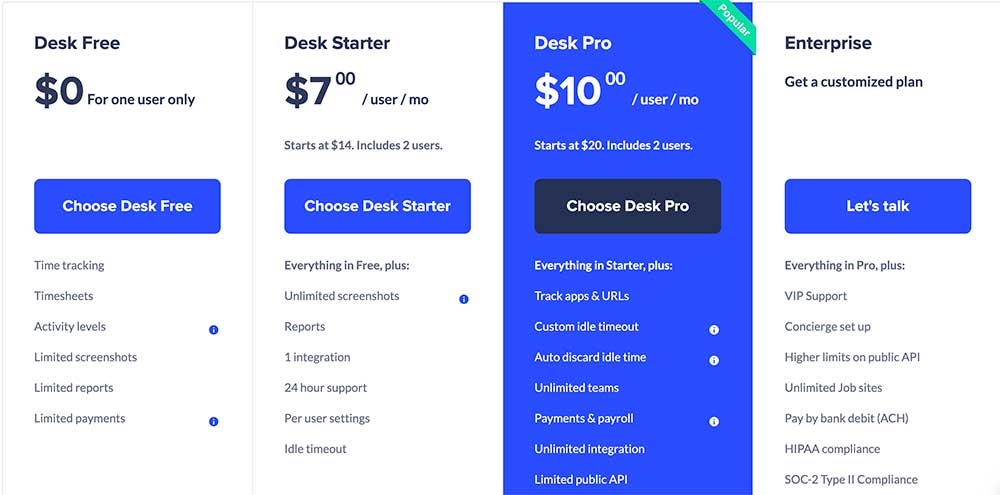
The tier we tested, the Premium plan, now costs $10.00 per user monthly. In addition to features available in the Basic plan, it also enables tracking of apps and URLs, mobile GPS tracking, time-off and holidays, scheduling and attendance, expense tracking invoices,, payroll client and project budgets auto-discard idle time timesheet approvals daily ,and weekly limits fleet Tracking as well as unlimited teams.
What makes this plan so special is its diverse array of features that not only help with employee monitoring, but also some of the bigger HR applications that small to midsize businesses require.
For businesses that need a little extra help, we offer an Enterprise plan for $20.00 per user per month. This plan comes with all the Premium features, plus VIP support, unlimited job sites, concierge account setup, and higher limits on public API.
After you put in your credit card information and select a plan, a pop-up window will appear with a Welcome to Hubstaff package. You can either schedule a call for help with onboarding or watch
a short video that shows you what the Dashboard looks like. The key elements of the Dashboard are explained in the video.
Referrals discounts work with both Monthly and Annual subscription selections.
Features and User Interface
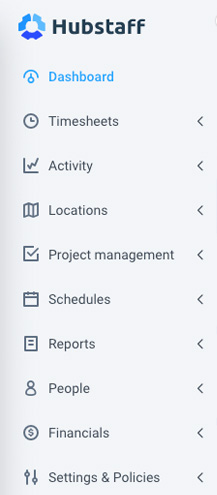
Hubstaff’s user interface is responsive and easy to understand. The Dashboard, Activity feed, Timesheets, Reports, To-do’s, and Expenses are lined up on the left side in gray for emphasis.
During the demo period at the top of the page, there is a navigation bar labeled “Get Started with Hubstaff” which serves as a step-by-step guide on how to use key functions like (“Know what my team is working on,” “Make payroll easy,” “Track profitability,” “Organize multiple teams,” and more).
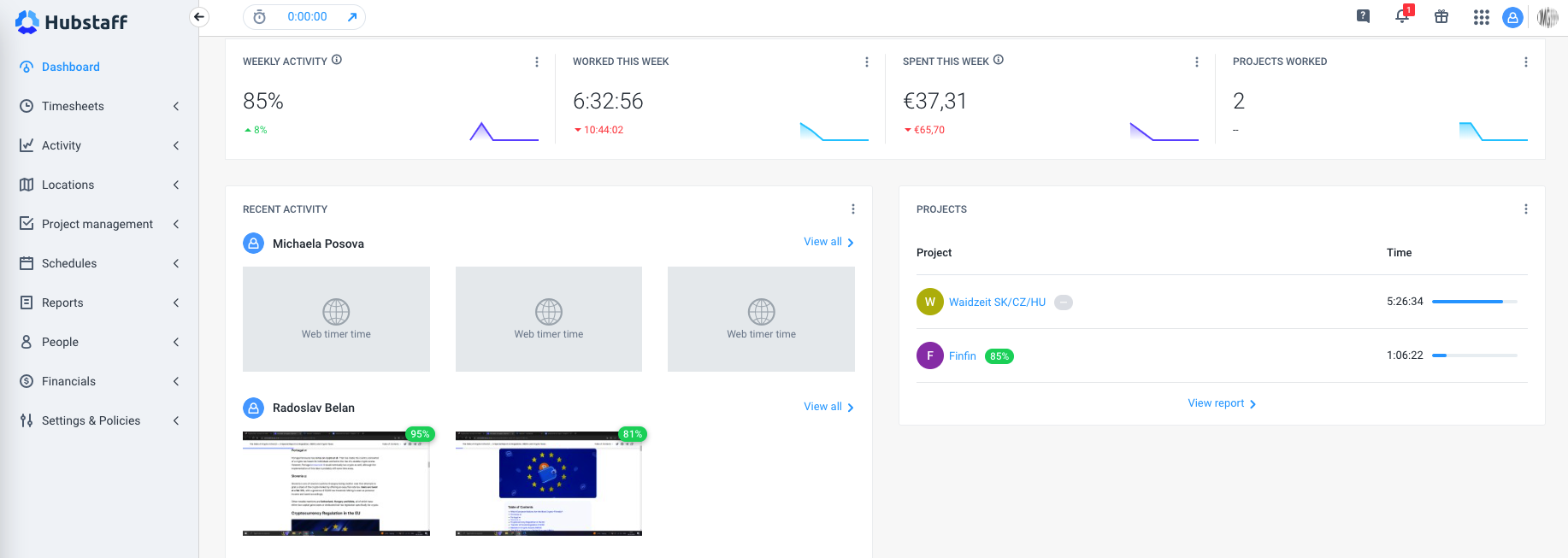
Hubstaff’s dashboard provides all the data I need on one screen. For example, I can see how many hours my employees have worked in the past week, what tasks they are working on currently, their activity levels, as well as which apps and websites they use most frequently.
This detailed information helps managers understand where workers might be struggling and where they are excelling.